
A private symptom tracker for Crohn's, IBD, and gastrointestinal health.
Log food, stools, pain, symptoms, medication, weight and height, lab results and clinic visits in an encrypted journal your whole family can contribute to.
Interested families can request early access by email.
When our son Max was diagnosed with Crohn's at 10, we needed a way to track his symptoms that didn't involve a notebook we'd forget at home on the day of an appointment. We couldn't find anything that took his privacy seriously, so I built one.
Who it's for
Originally built for a child with Crohn's disease. Designed for anyone managing chronic gut health.
- Crohn's disease
- Ulcerative colitis & other IBDs
- Irritable bowel syndrome (IBS)
- General gastrointestinal health tracking
Show your consultant the full picture
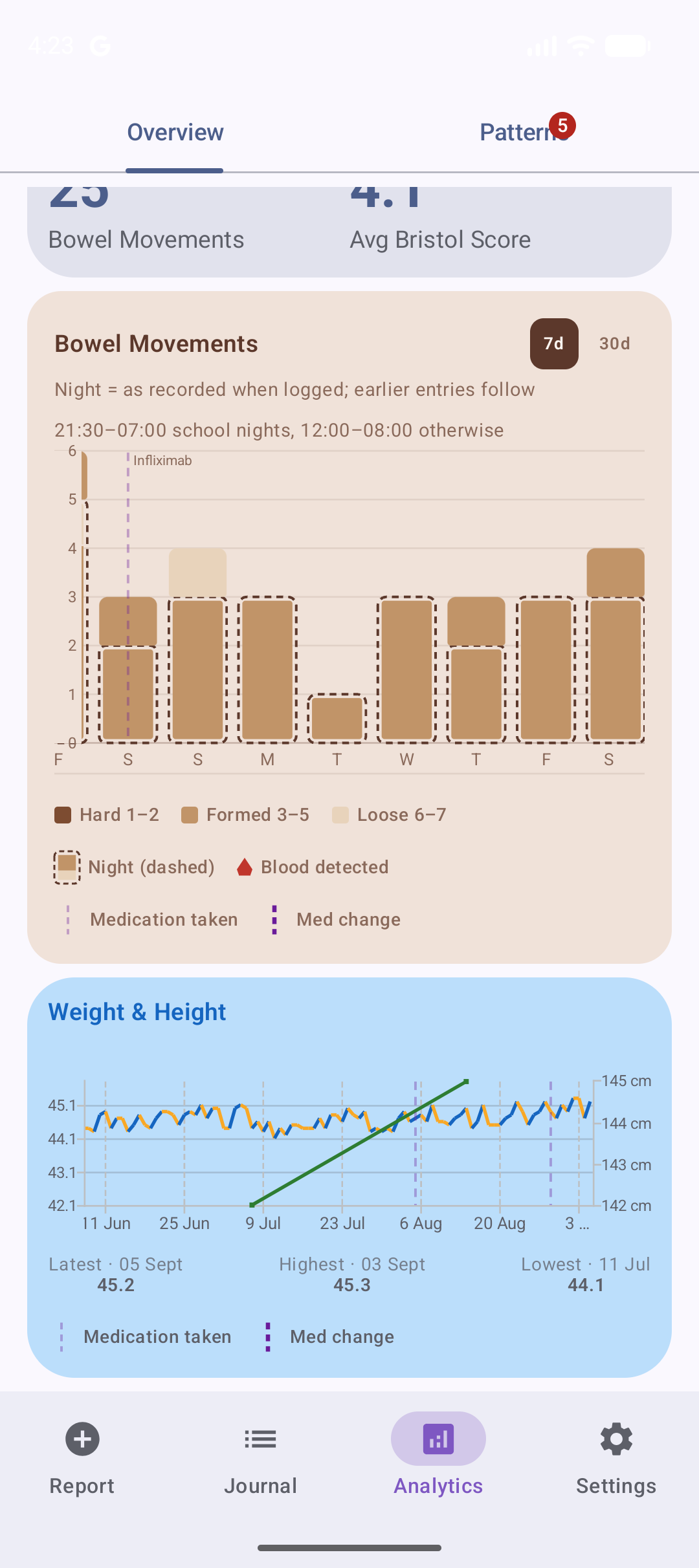
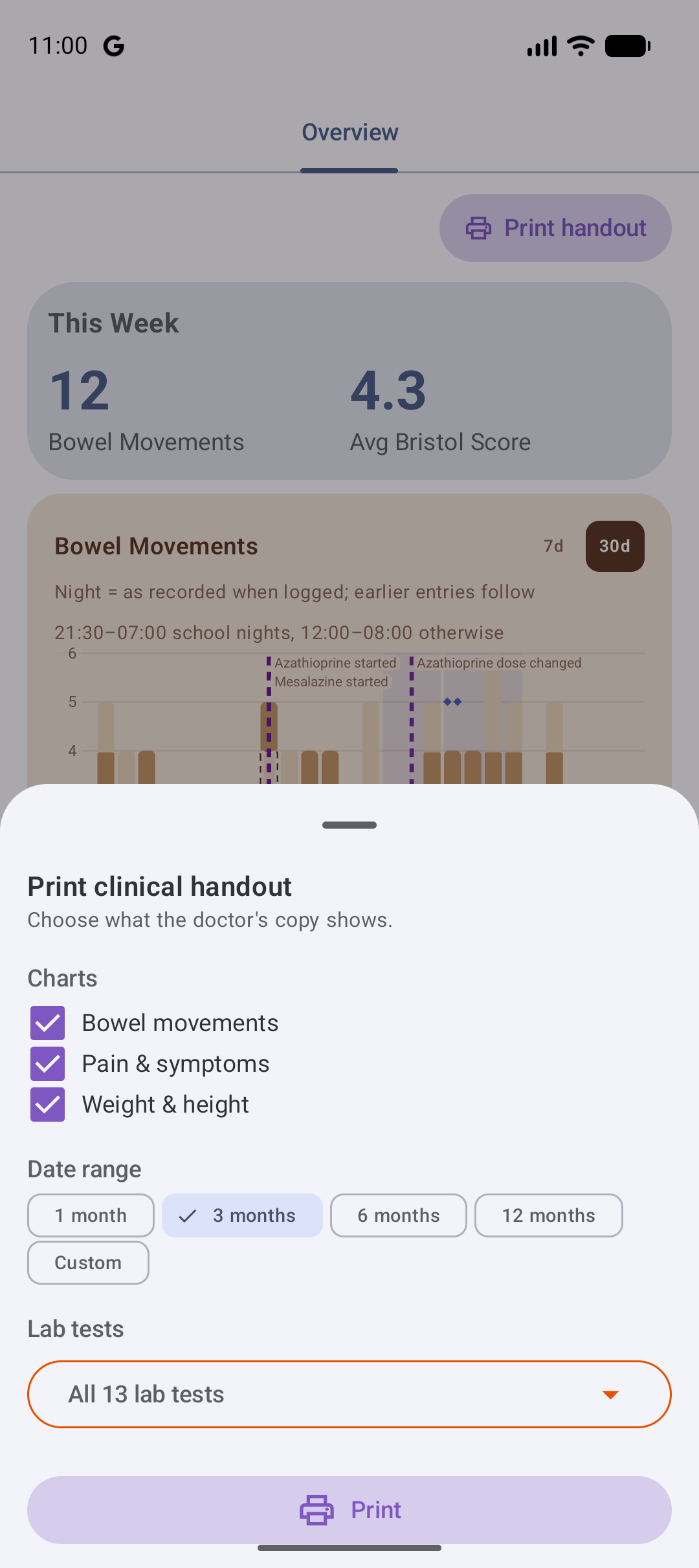
The analytics view turns weeks of logging into a clear picture for appointments. Overview charts a weekly summary, a three-month bowel-movement timeline, a pain-and-symptom trend, a whole-history growth chart of weight and height, and lab trends — with clinic events and hospital stays marked where they happened. And when the appointment comes, print it: pick the charts, the date range and the lab tests, and hand the consultant a headed handout — the patient's name and the covered dates on every page — on paper or as a PDF.
Colour-coded timeline
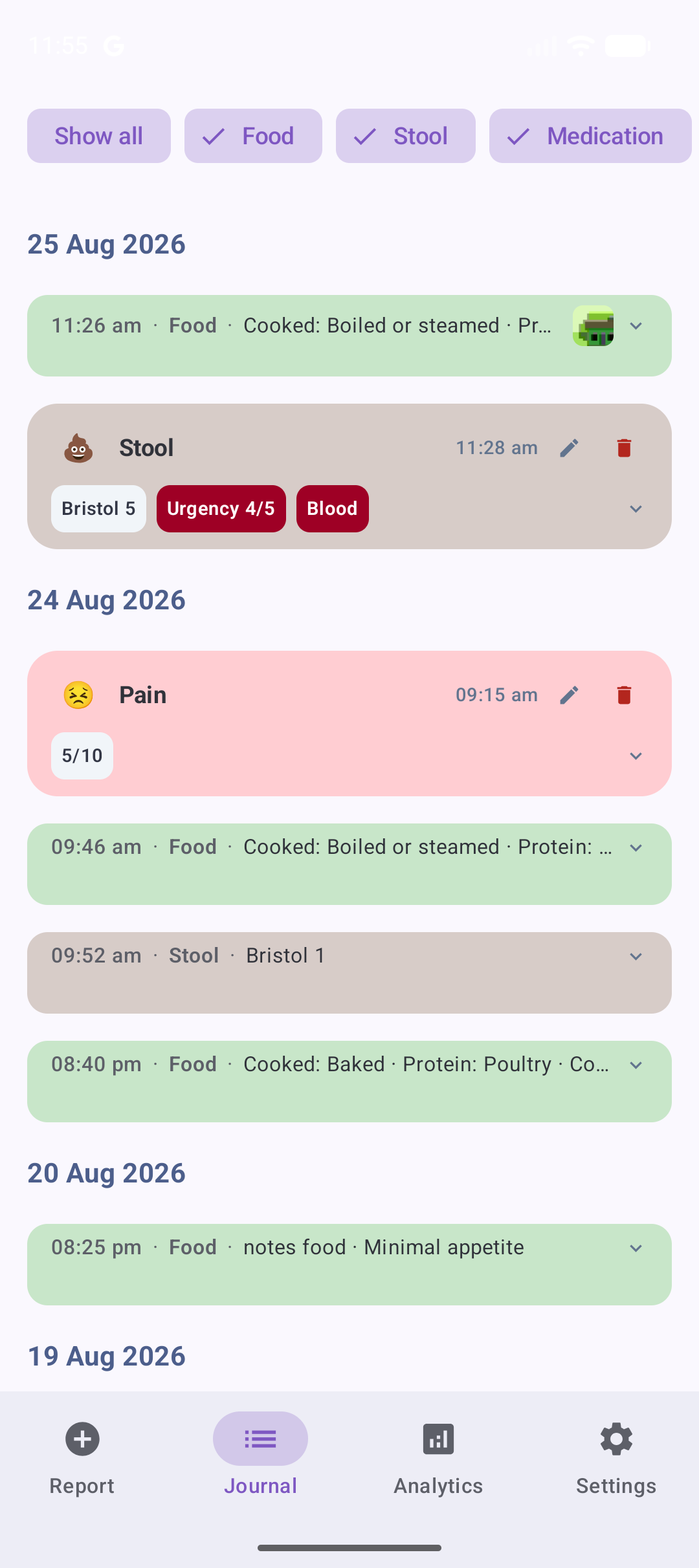
Every entry appears on a shared timeline, colour-coded across all eight log types (food, stool, pain, symptoms, medication, weight and height, lab results and clinical events). Quiet one-line rows keep everyday meals and routine doses compact so flagged stools and pain stand out. Tap any entry to view, edit, or back-date it.
Bowel-movement timeline
Weeks of bowel health in a single glance — each day's movements stacked and colour-coded by stool type, night-time episodes marked when logged, guided by night windows your family sets (school nights and other nights can differ), and any blood clearly marked. Scroll back through three months of history, zoom from a close-up week to a whole month, and tap any day for the details — the full story for your care team without flipping through notes.
One private timeline, shared with family
The whole family logs into the same encrypted timeline. Everyone sees the same picture, each person unlocks it with their own device.
Admin generates a QR code
The family Admin taps "Add Member" and the app creates a unique QR code.
New member scans it
The new family member signs in and scans the QR code with their phone.
Secure handshake
A cryptographic exchange delivers the family encryption key to the new device. No passwords shared, no raw keys sent over the internet.
Get started
Coming soon to Google Play — request early access by email in the meantime.