
What it does
Everything CrohnOlogy can do today. No aspirational promises, just what's in the app.
The whole picture, ready for the appointment
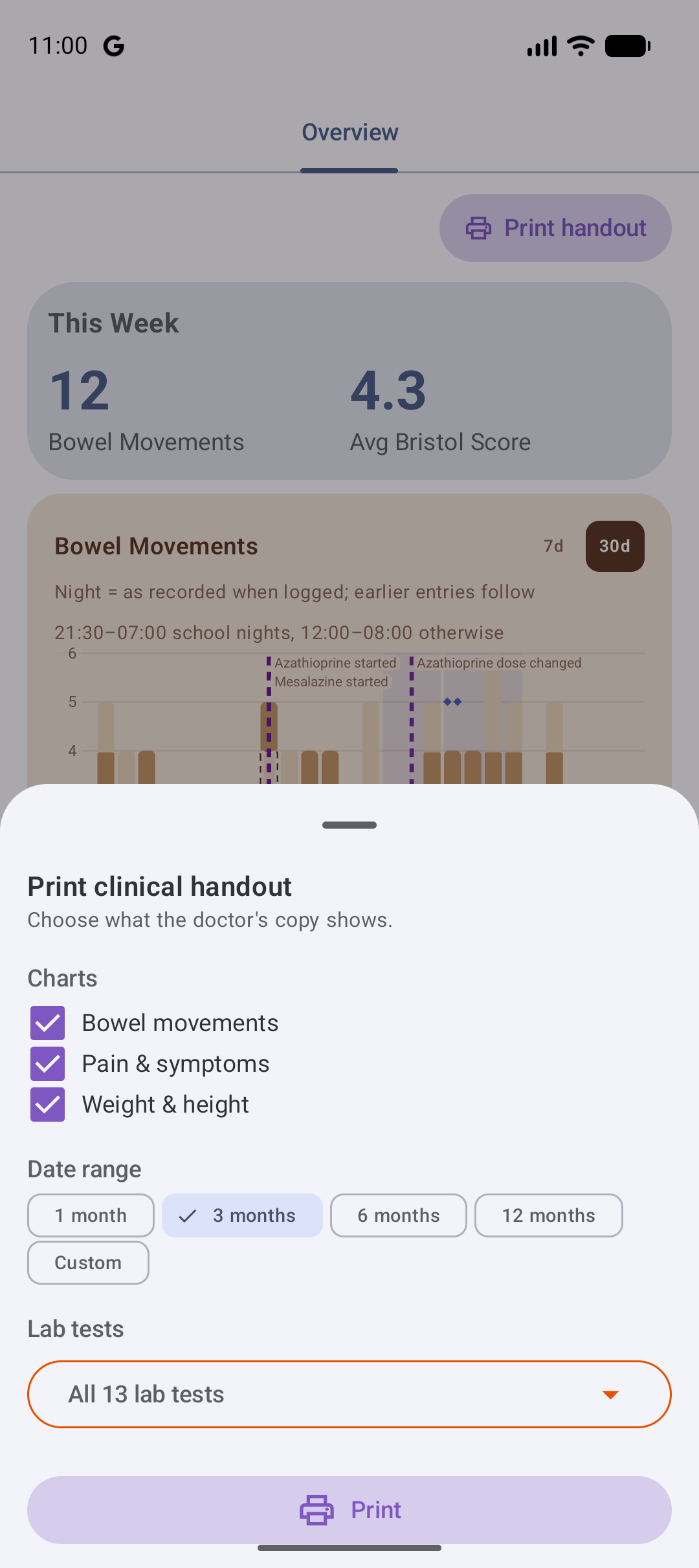
The real value isn't just logging. It's having everything in one place when the consultant asks. The Overview gives you a weekly summary, a bowel-movement timeline — every day at a glance, colour-coded by stool type, with night-time episodes marked when logged — guided by your family's night windows, set separately for school nights and other nights — and any blood clearly marked, scrollable through three months of history at a weekly or monthly zoom, with clinic events and hospital stays marked where they happened — a pain-and-symptom trend chart — each day stacks one block per pain episode, the deeper the red the worse it was, with nausea, vomiting and low-energy days marked on top, a whole-history growth chart plotting weight and height together, with latest, highest and lowest at a glance, and a lab trends card charting any marker's whole history, so a calprotectin course reads at a glance. Tap any day for its details.
Then print it. Tap Print handout at the top of the Overview, tick which charts to include, choose the date range (three months by default, or your own start and end) and which lab tests appear, and the app produces a headed A4 handout — the patient's name and date of birth on page one, the covered dates on every page, numbered when it runs long, with the medication timeline drawn against every chart. Print it, or save it as a PDF, and hand your care team the full picture instead of a notebook.
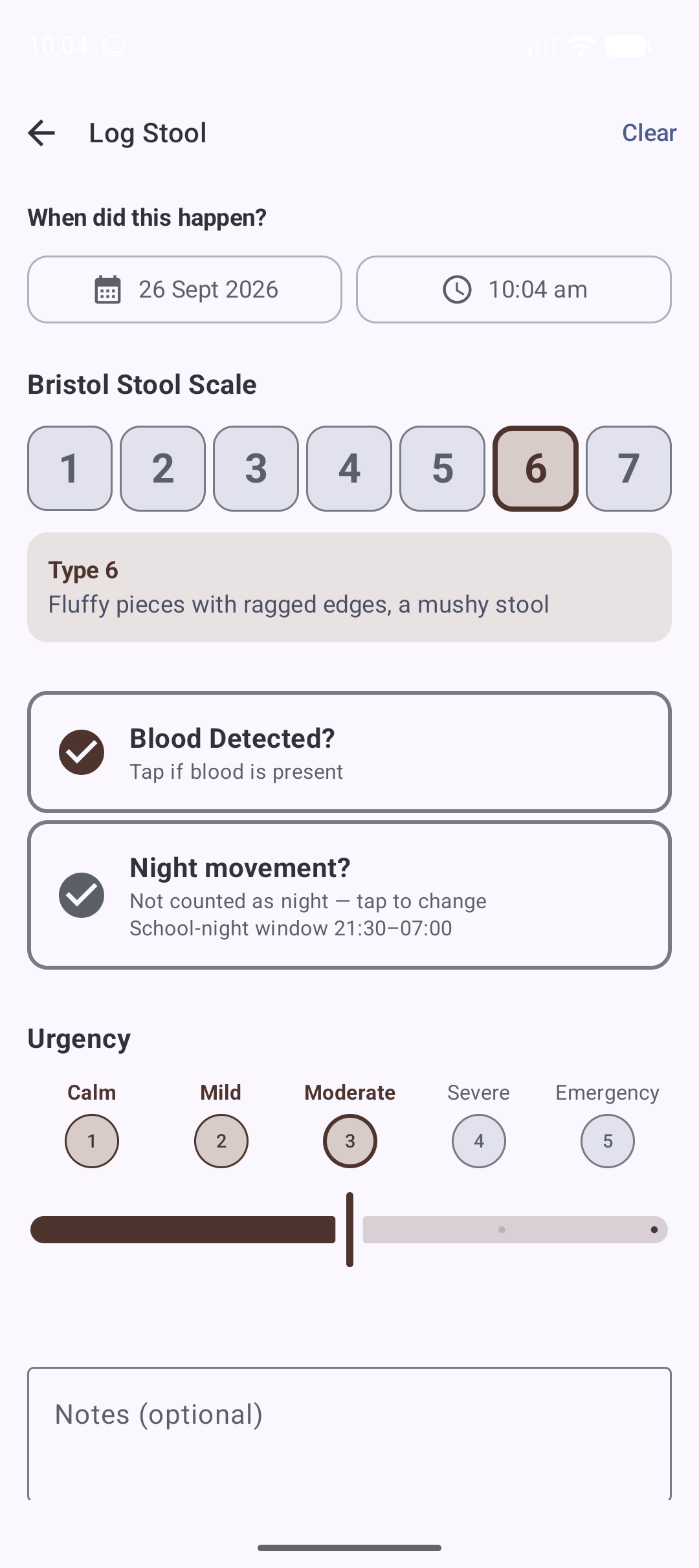
Eight ways to log
Every entry is part of one shared, encrypted family timeline. Tap an entry to view or edit it; entries can be back-dated to when they actually happened.
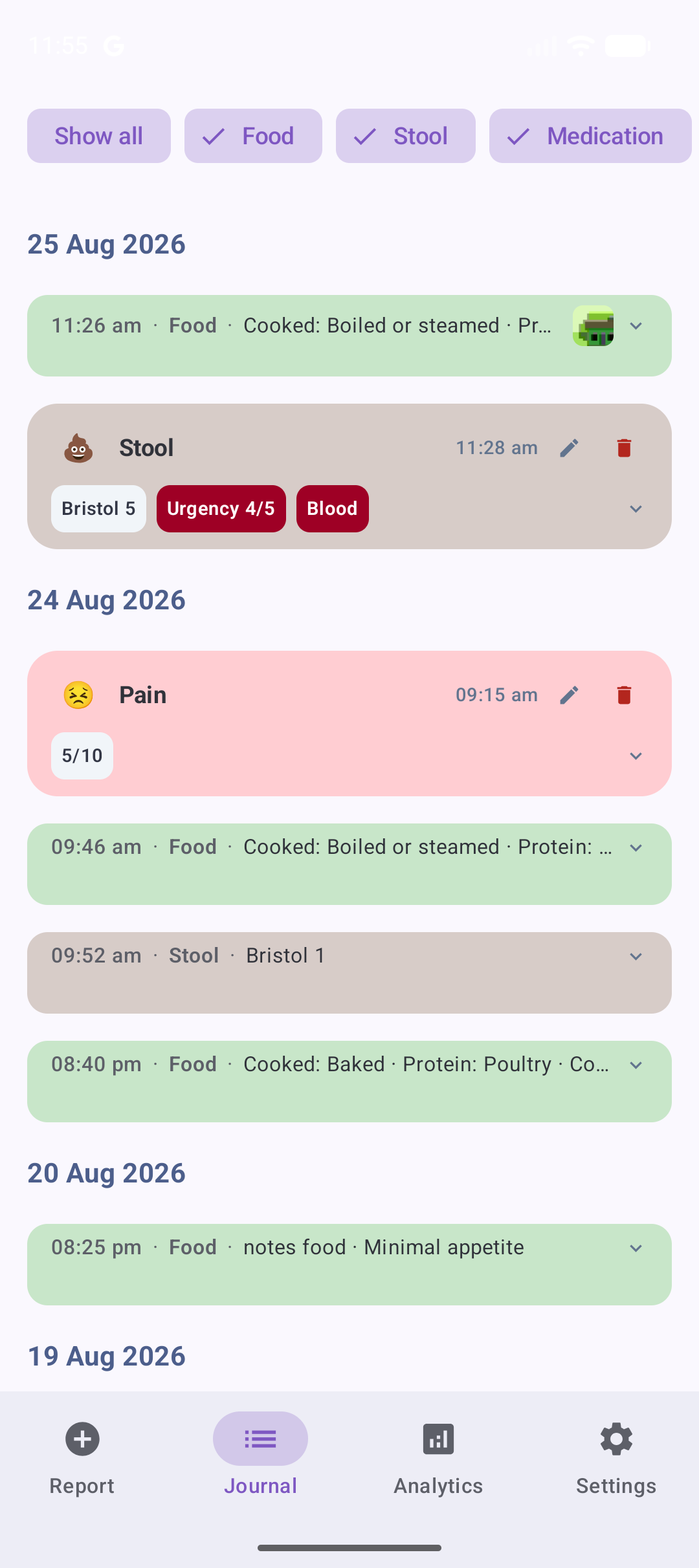
The journal is built for skimming on a hard day: meals, medication batches and unflagged stools sit as one-line quiet rows so symptoms, pain and flagged stools stand out — and every entry stays visible, in order. Day headers stick while you scroll, days read cause → effect (breakfast above the evening pain it may have fed), and opening the journal lands on today. Filter chips (Food, Stool, Medication, Symptoms, Pain, Lab, Event, Measurements) hide a type when you need a focused read — always visible, wrapping over a few compact lines instead of hiding behind a scroll, with Show all and Hide all one tap away.
Food
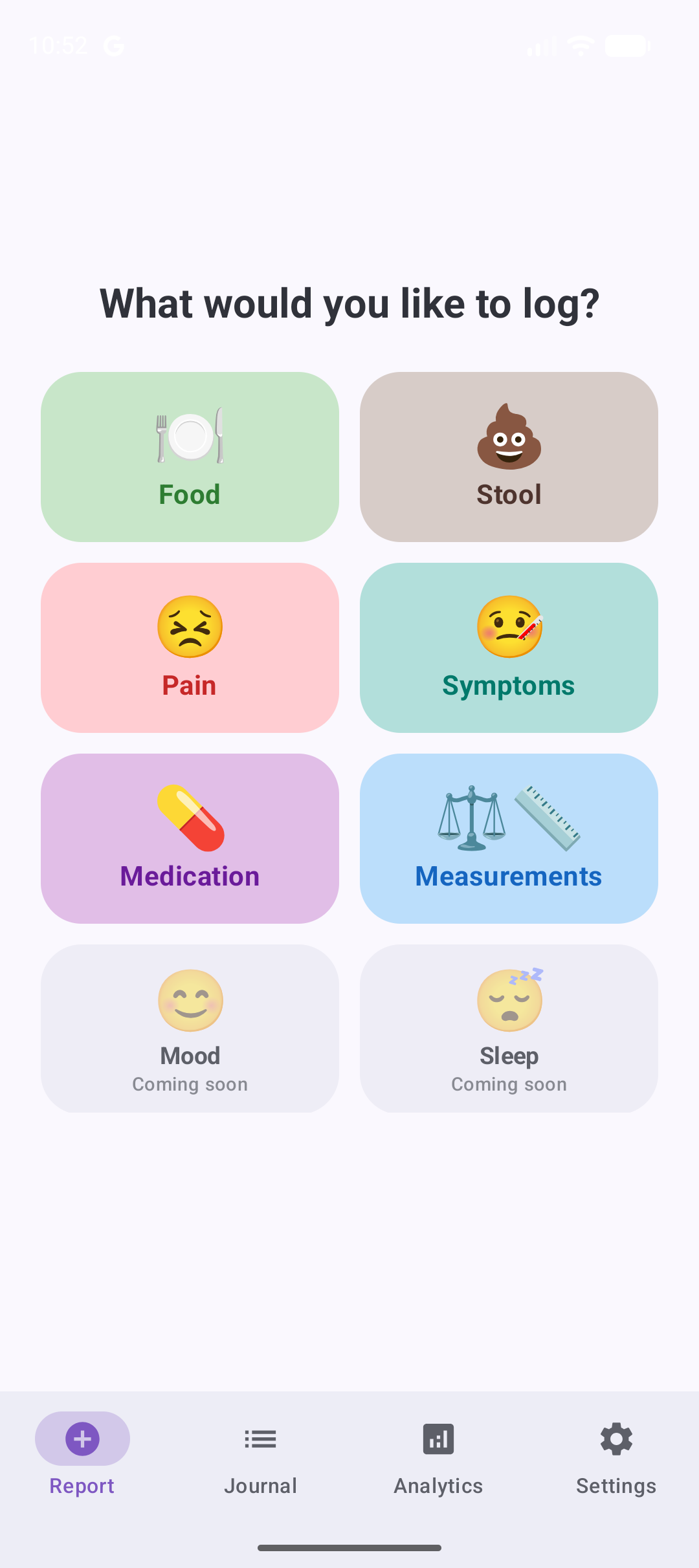
- Tap the main protein — fish, red meat, poultry, egg, or beans and lentils — then how it was cooked. Preparation is multi-select, so a mixed-prep meal (fried chicken with boiled rice) is one entry, not two.
- Flag what else was in it using labels a child recognises: milk or cheese, bread or pasta, fatty or creamy, spicy, fruit, potato… or none of these.
- Nothing is required: a time and a meal type alone is a valid log, so a bad day never gets in the way of logging.
- Meal type: Breakfast, Lunch, Dinner, or Snack.
- A one-tap appetite rating on a friendly 1–5 scale — from Zero appetite to Intensely hungry — so a drop in appetite, often an early warning of a flare-up, stands out on the timeline.
- A free-text description for anything you want to remember.
- Optional photo, captured in-app or picked from the gallery.
Stool
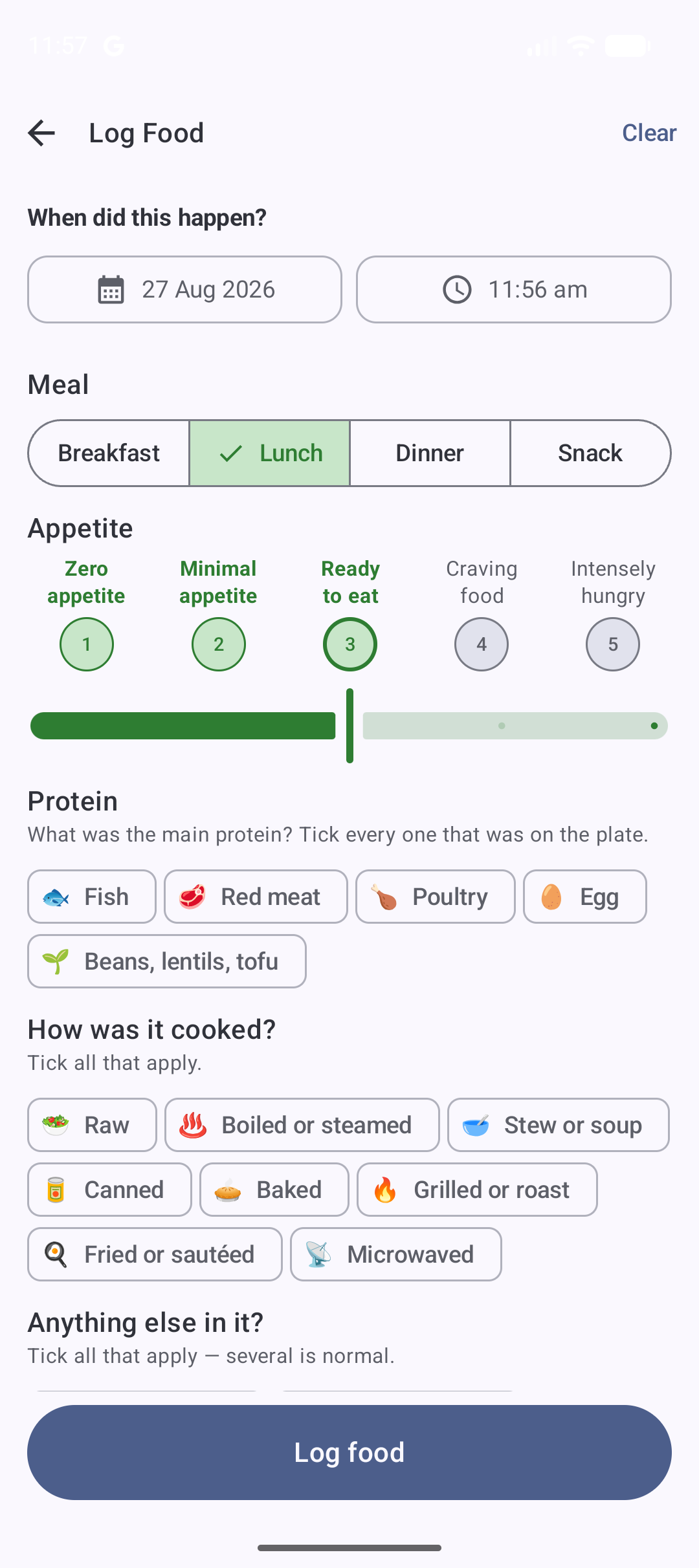
- Bristol Stool Scale (1–7) tap-to-select grid.
- Associated pain level (0–10, where 0 means no pain).
- Blood presence indicator.
- Night-movement toggle — pre-answered from your family's night windows, one tap to override.
- Urgency rating (1–5).
- Optional notes and photo. Stool photos are blurred by default in the timeline for privacy; tap to reveal.
Pain
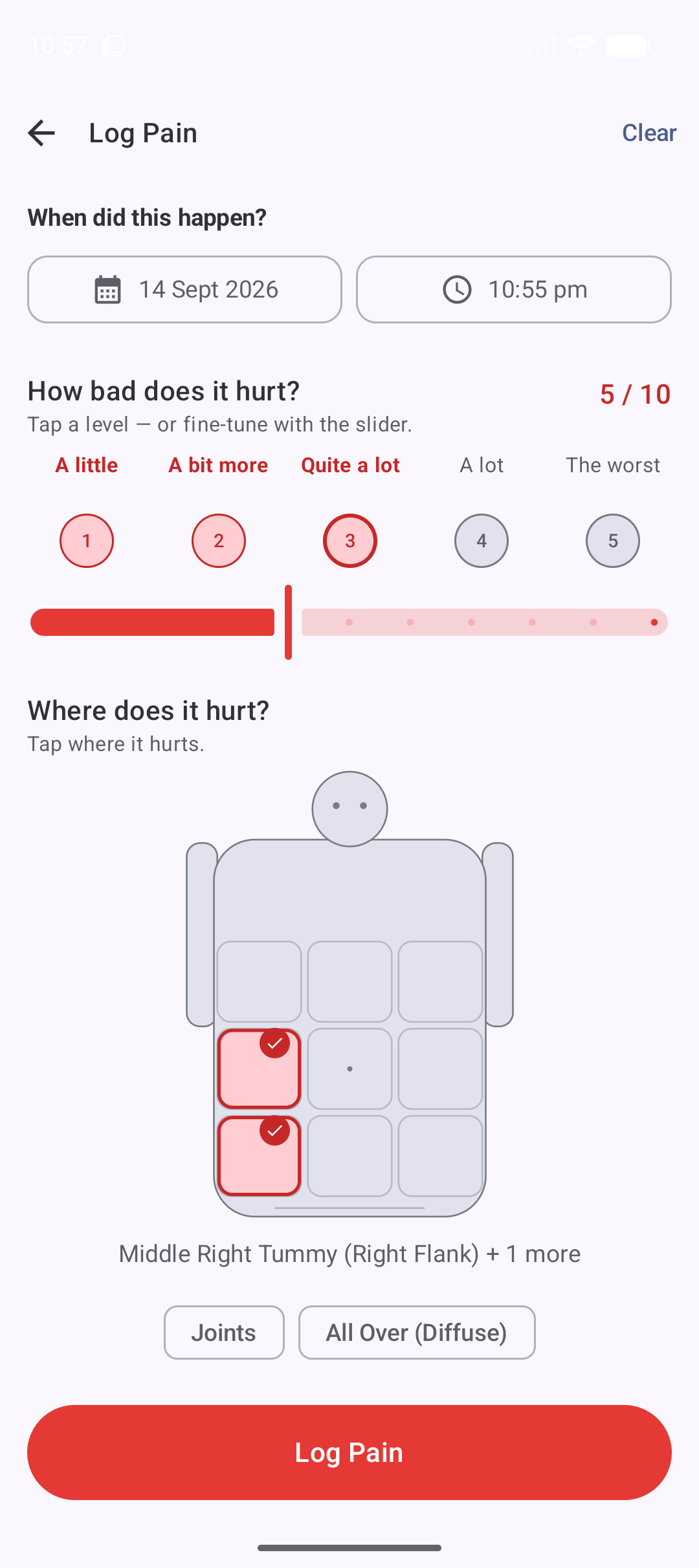
- Tap where it hurts on a friendly body map — nine tummy zones in a child's words (“Top Left Tummy”, “Belly Button Area”), with the clinical term alongside for the appointments.
- Pain in more than one place? Zones combine freely — tummy areas with joints — and All Over covers diffuse pain, so one entry tells the whole story.
- A child-friendly intensity dial from A little to The worst, with a slider for fine-tuning.
- What it feels like: tick any of Cramps, Stinging, Ache, Bloated, or Butterflies — or skip it.
- Optional notes. In the journal, each pain entry shows a miniature body map with the recorded areas lit — where it hurt, readable at a glance.
Symptoms
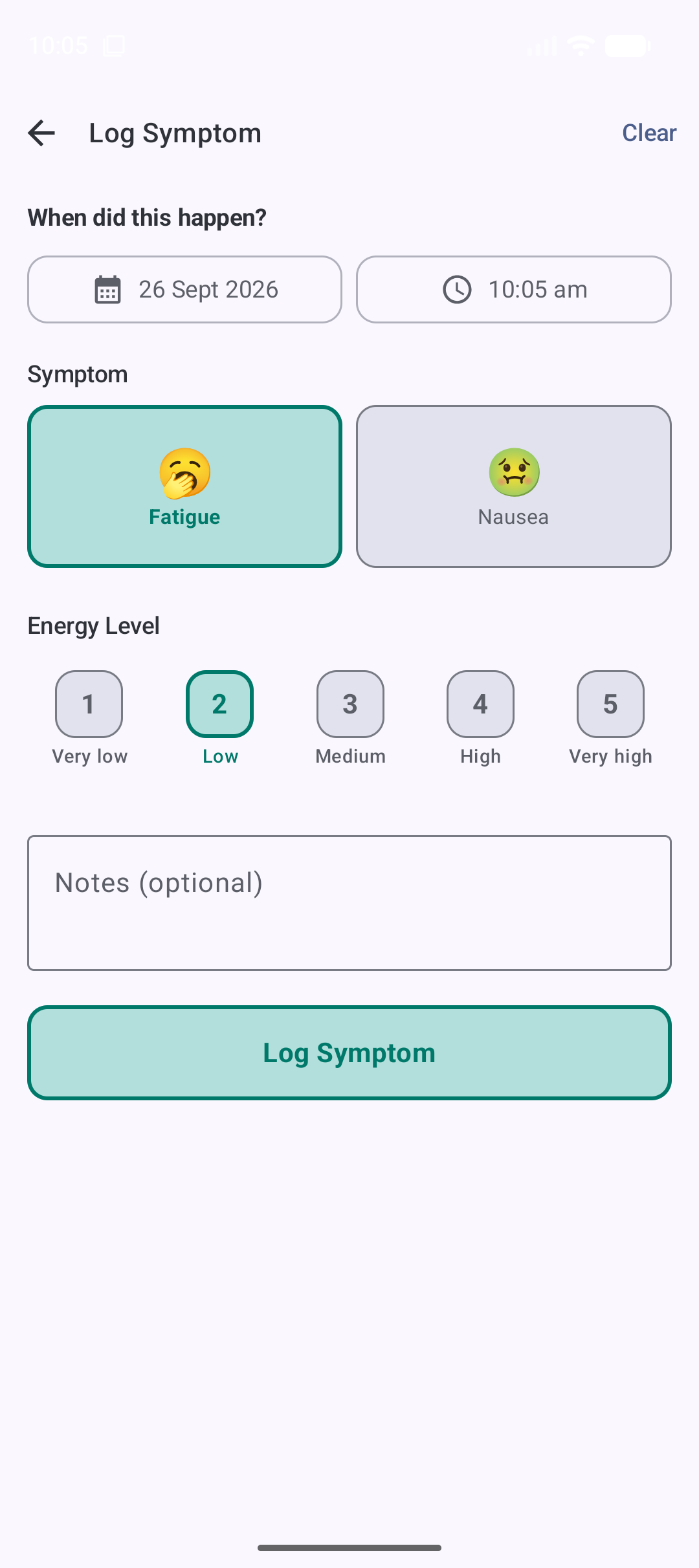
- Fatigue on a simple 1–5 energy scale, from very low to very high.
- Nausea on a 1–5 severity scale, with a clear warning marker when vomiting happens.
- Optional notes for anything worth remembering — encrypted like all free-text.
- Logging a symptom takes as few as three taps, for the hardest days.
Medication
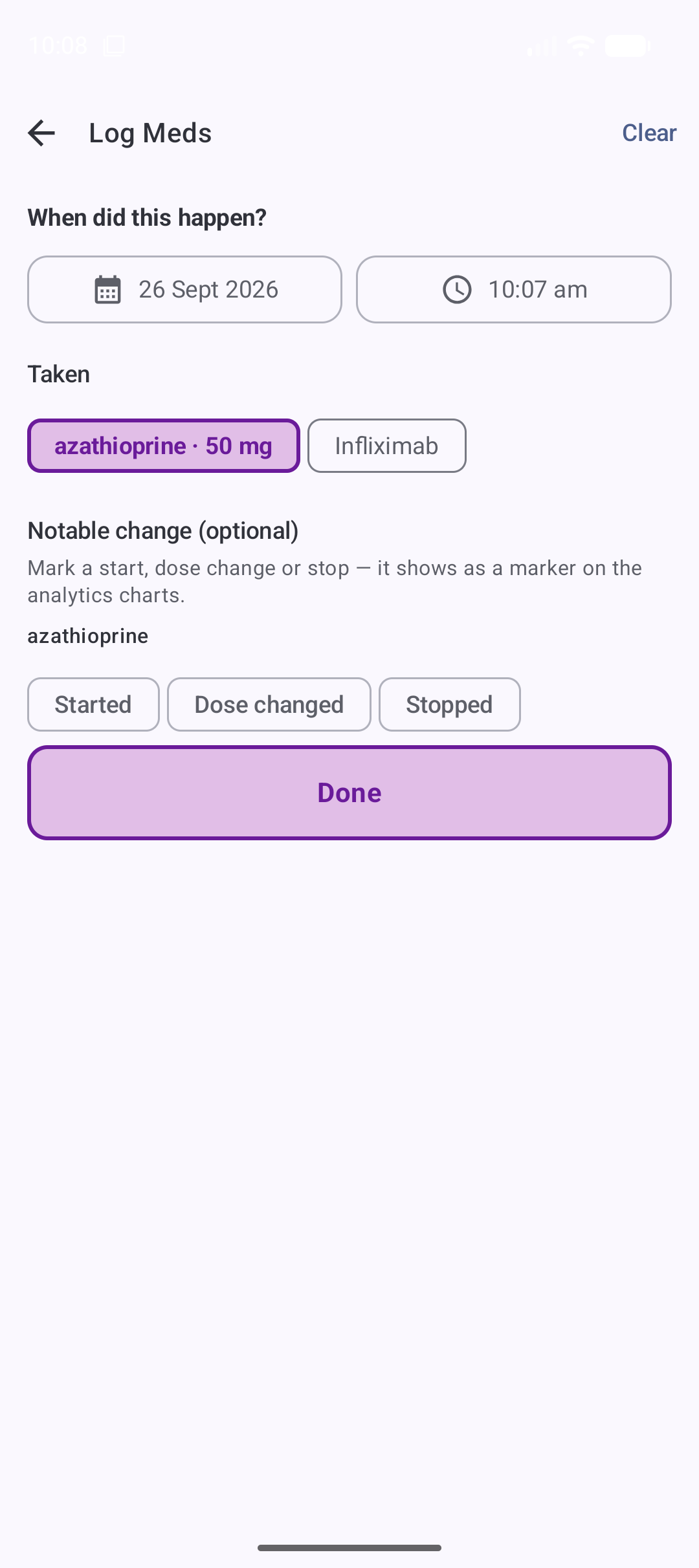
- Keep a simple family roster of prescriptions: name, dose, and schedule.
- Log a day's doses with one tap per medication from a checklist.
- Each dosing event appears as a single grouped card on the timeline, with names and doses.
- Prescriptions that stop can be switched off or removed; past doses keep their record.
Measurements
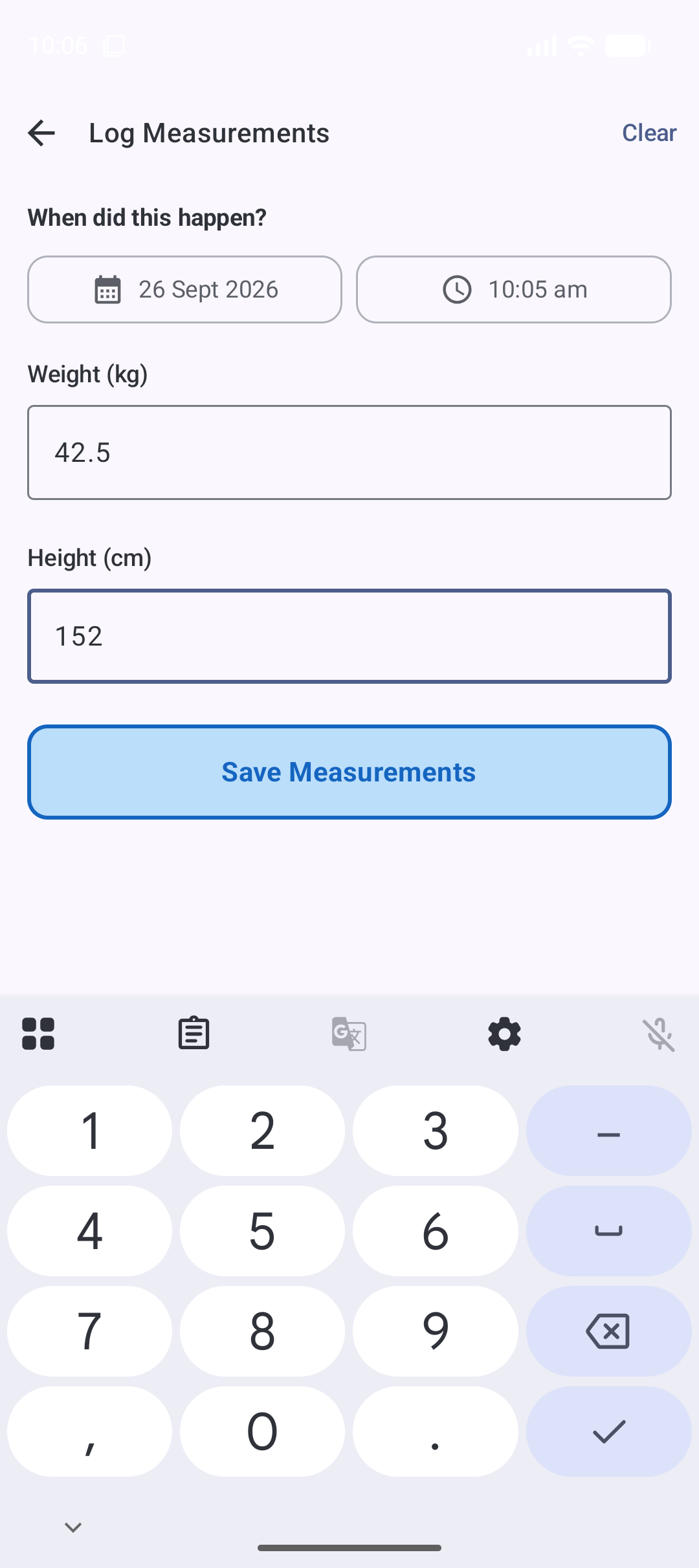
- Weight in kilograms and height in centimetres, captured together in one place.
- The form is pre-filled from your last measurements, and only what has changed gets saved.
- Track growth and fluctuations over time alongside everything else.
Lab results
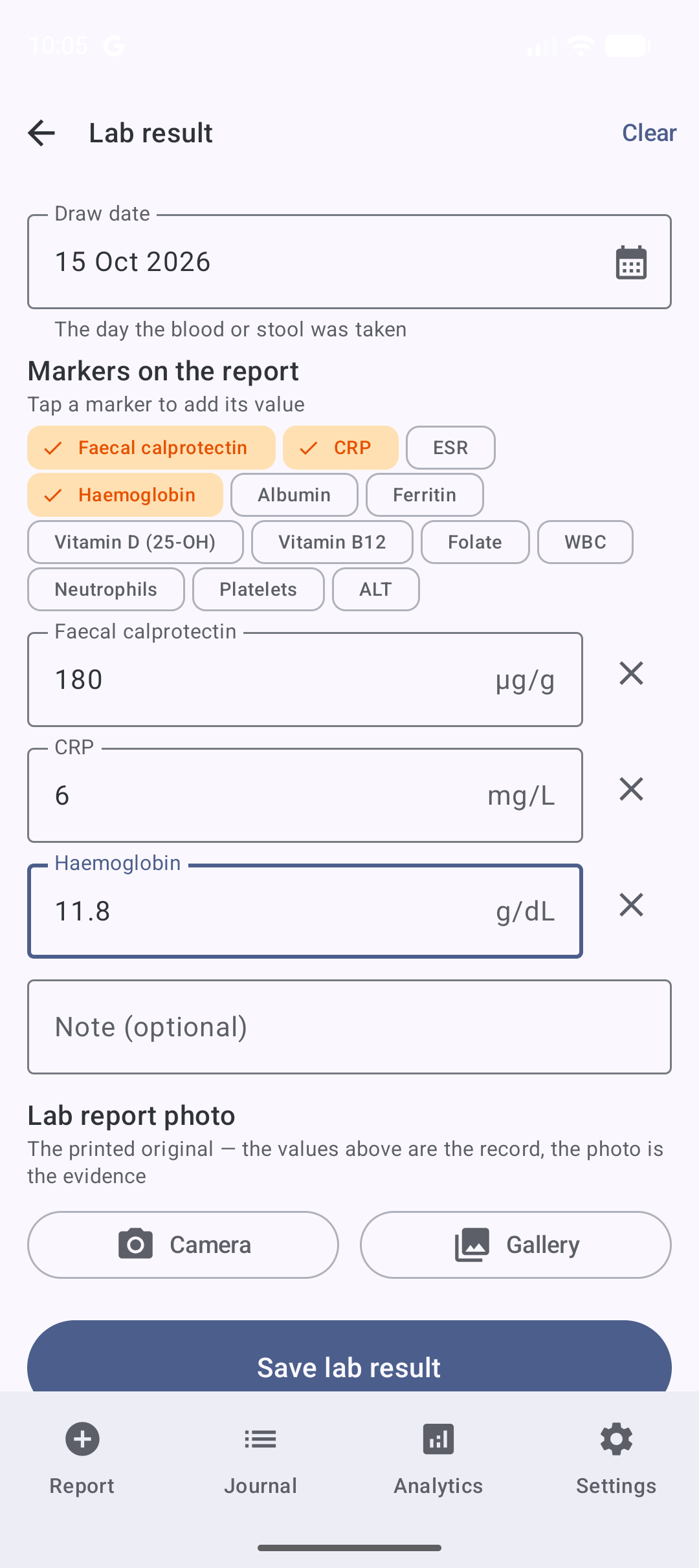
- Tick the markers this report carries — calprotectin, CRP and the inflammation story; haemoglobin, ferritin, vitamin D, B12 and folate for growth and nutrition; plus the routine immunosuppressant safety bloods — and only those fields appear, each with its unit.
- The draw date is yours to set, so a report logged days later still lands on the right day.
- An optional note, and an optional photo of the report — encrypted like every photo, kept alongside the numbers so nothing printed is lost.
- Every draw lands on the journal timeline, and the Analytics tab charts each marker's whole history — pick a marker, see the course it runs.
Clinical events
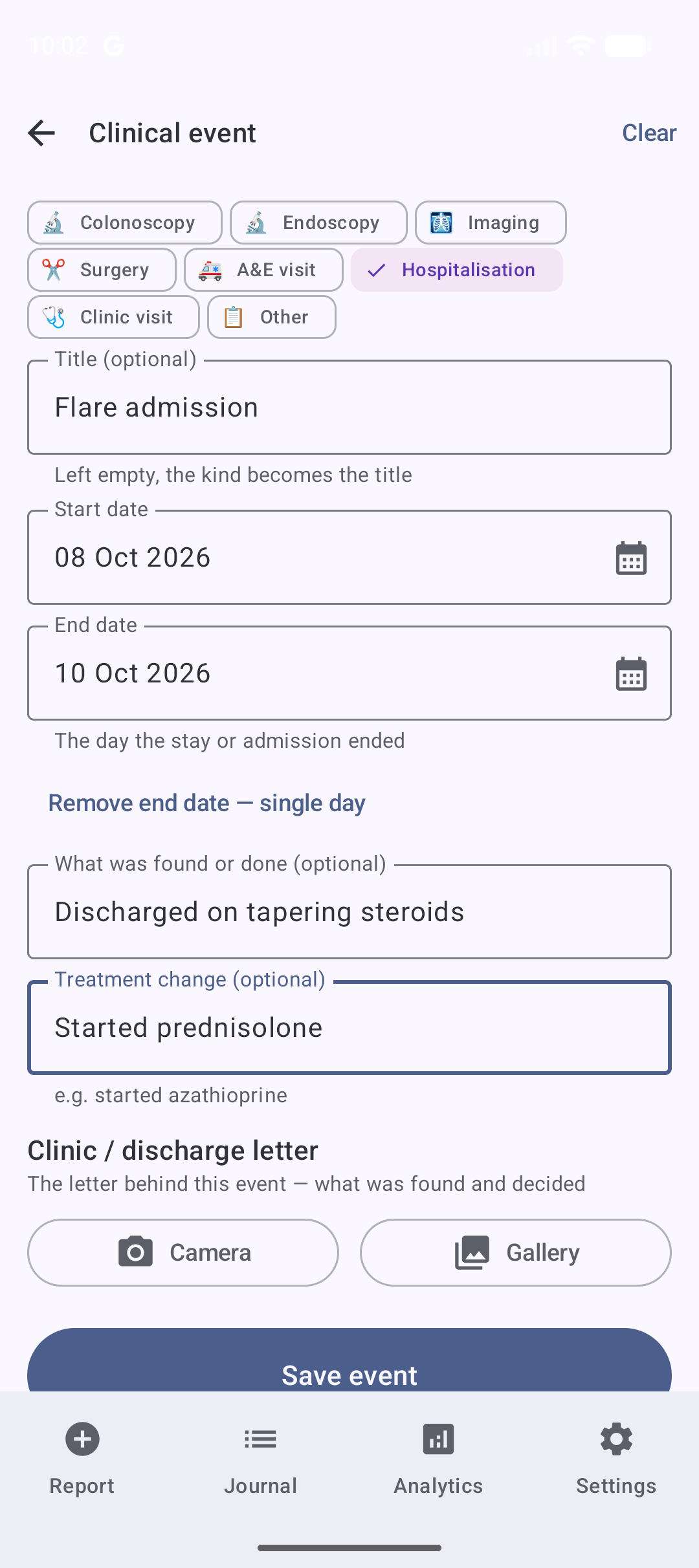
- Colonoscopies, endoscopies, scans, surgeries, A&E visits, hospitalisations and clinic visits — tap the kind, add a title.
- Hospital stays and surgeries span a date range; everything else lands on its day.
- An optional outcome and any treatment change, plus an optional encrypted photo of the letter or report.
- Events and stays appear as markers on the bowel and pain charts — what was done, readable against how the body responded. Tap a marker and it says what it was.
One private timeline, shared with family
The whole family logs into the same encrypted timeline. Three roles keep access under control:
Admin
Full access. Invites new members, manages roles, sets the patient's name and date of birth that head the printed handout, and can recover access for others.
Member
Full access to log, view, edit, and delete entries in the Report and Journal tabs.
Viewer
Read-only access to the Journal timeline. The Report button is disabled and greyed out.
Adding a family member
Adding a family member uses a secure handshake, not a guessable password: the Admin generates a QR code, the new member scans it, and a cryptographic exchange delivers the family encryption key to the new device. No passwords shared, no keys sent over the internet — and each family's data stays completely isolated from every other. Before joining, the new member agrees to the Terms of Service and Privacy Policy.
Unlocked by you, not a password
CrohnOlogy unlocks with biometric authentication (face or fingerprint) — no passcodes to remember or forget. A short-lived session keeps things smooth for a couple of minutes so entries and photos appear without repeated prompts, then clears automatically, whether you're done or the app goes to the background.
Photos that stay private
Quick to capture, light on data
Photos are optimised on the phone before they're sent, so uploads are fast and won't eat your mobile data.
Encrypted and private
Every photo is encrypted before it leaves the phone. Only authorised family members can view them.