Your data is encrypted before it leaves the phone
CrohnOlogy is built on a simple idea: no one, not the hosting provider, not a hacker, not even a legal subpoena, can read your family's symptoms, notes, or photos without access to an authorised device.
This is called zero-knowledge encryption. It's the same approach used by WhatsApp and Signal. Here's how it works, in plain language.
1. Encryption happens on the device
Every entry is sealed on the phone into a single encrypted block — one AES-256-GCM payload per entry that covers everything: symptoms, notes, when it happened, and who logged it. Photos receive the same treatment. Every image is compressed to JPEG (max 1024px) and then encrypted on-device. Only encrypted bytes are uploaded.
What this means: the data sitting on the server is scrambled ciphertext. It's mathematical gibberish without the key, and the key never leaves the device. Keys live only on authorised family devices, in the Android Keystore protected by the operating system (section 5 has the honest detail).
2. Even Google can't read it
CrohnOlogy uses Google's Firebase for cloud storage and authentication. But Firebase only ever sees:
- Ciphertext: every entry arrives as one unreadable encrypted block — symptoms, notes, entry time, and author identity included; photos are stored as encrypted bytes
- Non-medical metadata: family name, email addresses, roles, server timestamps, and document counts — nothing that reveals what was logged or how anyone is doing
- Public keys: used only for inviting new family members (more on this below)
The subpoena scenario
Even if Firebase (Google) were legally compelled to hand over all your data, or their servers were hacked, the result would be the same: a pile of encrypted files that are mathematically impossible to decrypt without access to a family member's device, plus non-medical metadata that permits no medical inference.
Your family's health data is secure, even from the infrastructure that stores it.
3. Adding a family member uses a cryptographic handshake
When a parent or carer joins the family, the encryption key needs to reach their device securely. CrohnOlogy uses ECDH key exchange (Elliptic-Curve Diffie-Hellman on a 256-bit curve), the gold standard for secure key sharing:
- The family Admin taps Add Member and enters the person's email.
- The app generates a QR code containing a public key, not the family key itself.
- The new member signs in and scans the QR code.
- A mathematical handshake delivers the family encryption key to the new device. The raw key is never transmitted. Only the result of the cryptographic exchange travels over the network.
- The new member's device stores the key in its own secure hardware.
No passwords are ever shared. No raw keys travel over the internet. Each family's data is completely isolated from every other.
4. Biometric-only access, no passcodes
CrohnOlogy uses biometric authentication (face or fingerprint) to unlock the encryption key. There are no passcodes or PINs to remember or forget.
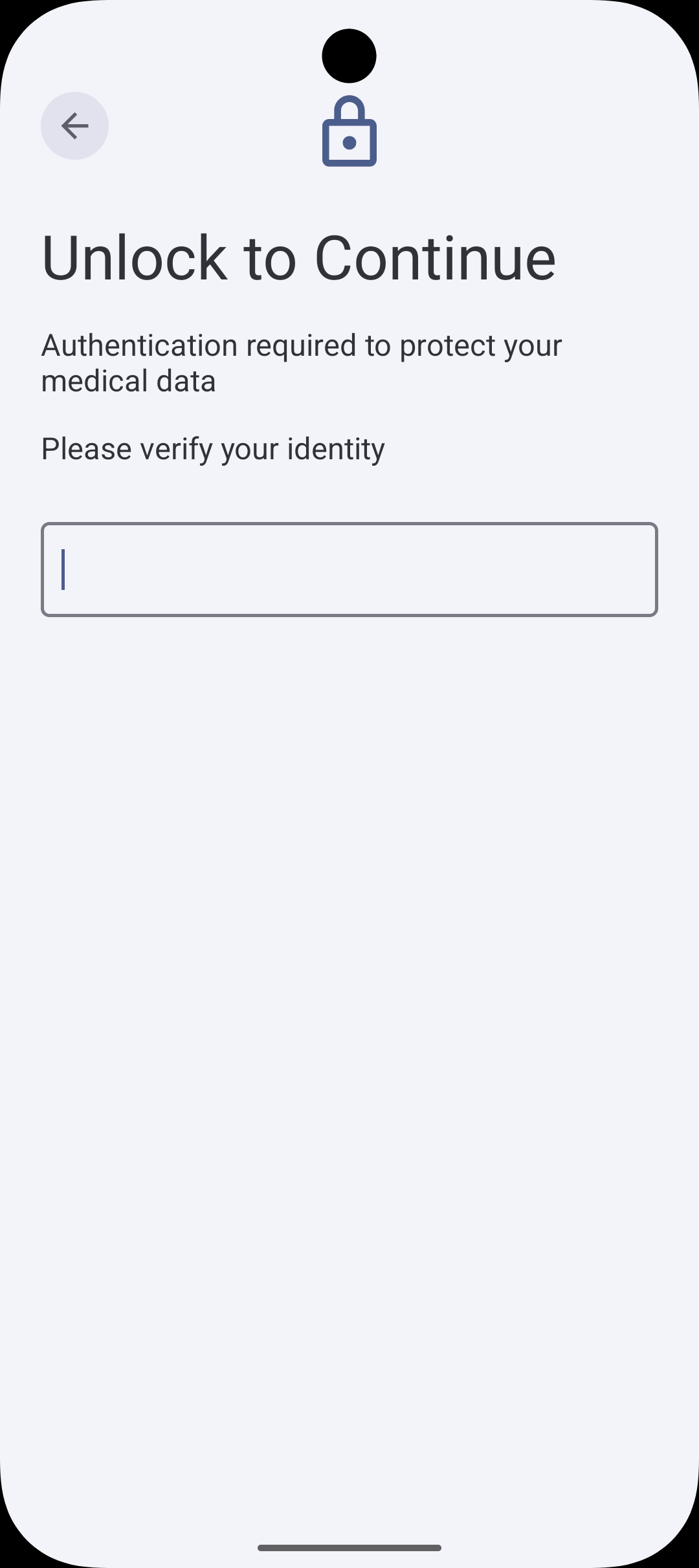
To keep the experience smooth without sacrificing security, the app uses a session cache in the device's working memory (RAM):
- One unlock per session: when you open the app, you authenticate once. The decrypted key lives in RAM for 120 seconds, so photos and notes appear instantly without repeated prompts.
- Auto-clear on expiry: after 120 seconds, the session key is automatically wiped from memory. The next action asks for your face or fingerprint again.
- Auto-clear in background: if the app goes into the background for more than 5 minutes, the session key is cleared as a defence-in-depth measure.
- Auto-clear under memory pressure: if the phone's operating system needs memory, the session key is purged immediately to prevent it from being written to disk.
If the phone is lost or stolen, the session key expires within 120 seconds of inactivity. A thief who grabs an unlocked phone may have a brief window (up to 120 seconds) to view data before biometric is required again.
5. Keys are stored in the Android Keystore
Encryption keys are stored in the Android Keystore, a secure, operating-system-level storage area that is separate from the app's regular data. Even if someone gained access to the app's files, the keys are protected by the operating system.
CrohnOlogy uses software-backed Keystore (not hardware-isolated StrongBox). This is a deliberate choice that keeps the app compatible with older devices (Pixel 2 and later) while still providing robust, OS-level key protection. The app enforces its own 120-second re-authentication boundary, so hardware-level biometric key invalidation is not needed.
6. Lost your phone? Keys can be recovered
If a device is lost, replaced, or factory reset, the encryption key can be restored without losing access to the family's history. There are two recovery paths:
Self-service: Recovery passphrase
When a family is created, the Admin chooses a Family Recovery Passphrase (at least 8 characters; we strongly recommend a multi-word passphrase of 12–16+ characters). This passphrase encrypts a backup of the family key and stores it in the cloud.
On a new device, enter the passphrase. The app derives a decryption key using PBKDF2 with 600,000 iterations (the OWASP recommended baseline), downloads the encrypted backup, and restores full access.
The passphrase itself is never stored anywhere. It is only used as input to the derivation function.
Fallback: Admin re-invite
If the passphrase is lost, a family Admin can re-establish access through a fresh ECDH key exchange (the same QR handshake used for new members).
The affected member loses access to existing data during the window between key loss and re-invitation. The data itself is not lost. It remains encrypted in the cloud, fully accessible once the key is restored.
Threat model: what CrohnOlogy protects against
Here is a plain-language breakdown of common threats and how the app's security model handles each one.
| Threat | Protection |
|---|---|
| Server hack (Firebase breach) | 🔒 Protected: each entry is a single encrypted block and the provider holds metadata only — impossible to decrypt without device keys |
| Subpoena (legal demand for data) | 🔒 Protected: only ciphertext and non-medical metadata are stored on the server |
| Device theft (phone stolen) | 🔒 Protected: biometric authentication required; session key auto-clears |
| Man-in-the-middle (network interception) | 🔒 Protected: HTTPS transport encryption plus end-to-end content encryption |
| Phishing (fake login page) | 🔒 Protected: Google OAuth 2.0 Sign-In only; no app-level passwords to phish |
| Shoulder surfing (someone watches over your shoulder) | 🔒 Protected: 120-second session key timeout requires re-authentication (the session also clears after 5 minutes in the background) |
| Brute force (guessing the encryption key) | 🔒 Protected: 256-bit elliptic-curve cryptography is computationally impossible to brute force |
An honest assessment
CrohnOlogy is not a military-grade system, and it doesn't pretend to be. Here's where the security is strong, and where the trade-offs are.
Strengths
- Zero-knowledge architecture: data is encrypted before it leaves the device
- Strong encryption (AES-256-GCM)
- ECDH key exchange for secure key sharing between devices
- Biometric authentication with automatic session key clearing
- Simple, maintainable codebase: less complexity means fewer attack surfaces
Remaining risks (honestly stated)
- Software Keystore: keys are OS-protected but not hardware-isolated. This is a deliberate trade-off for device compatibility (Pixel 2 and later).
- Physical access to an unlocked device: a 120-second window exists between session key expiry cycles where an attacker with the unlocked phone could briefly view data before the next biometric prompt.
- Shared devices: account-level separation assumes each family member uses their own device and Google account.
Recommendations for users
- Enable biometrics (face or fingerprint unlock) on your device
- Don't share devices between family members. Each person should have their own account and device
- Keep the app updated for the latest security improvements
- Use a strong, multi-word Family Recovery Passphrase (12–16+ characters recommended) and store it somewhere safe, separate from the device